Start a CPU match
- 01
Open fightkaro.com
Read the game's satire notice if it appears. The title screen reads Sansad Showdown: The Great Kursi Fight. Press Enter or click to continue.
- 02
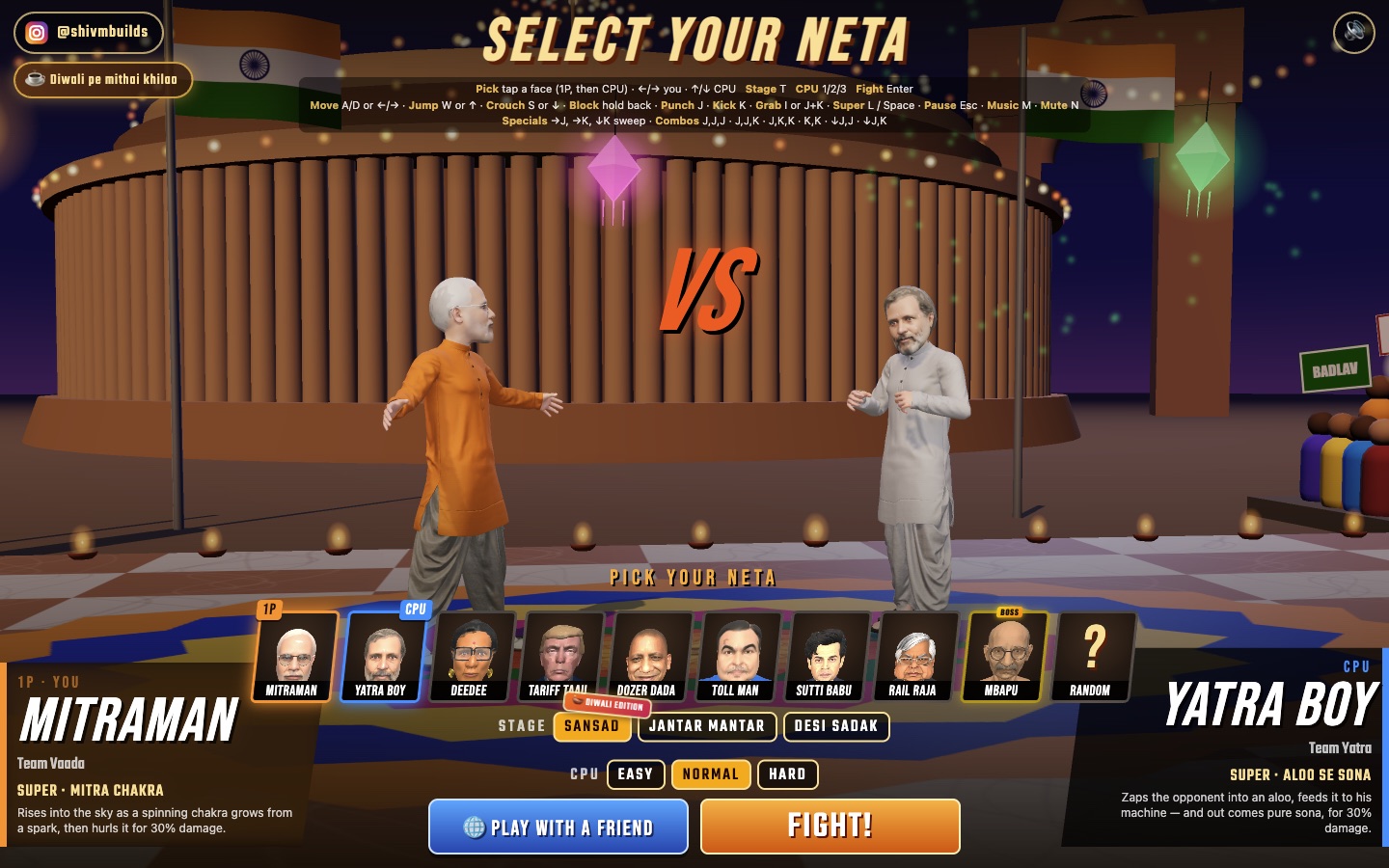
Choose your fighter, then the CPU
Click a fighter tile for 1P, then choose the opponent. The two large panels identify who you are changing; click Choose your neta or Choose the opponent to switch the active side. The selection legend also lists left/right for you and up/down for the CPU.
- 03
Choose the stage and CPU difficulty
Pick Sansad, Jantar Mantar or Desi Sadak. Choose Easy, Normal or Hard for the CPU. The selection legend lists T for stage and 1 / 2 / 3 for difficulty. For a first attempt, use Easy while you learn the controls.
- 04
Press FIGHT! or Enter
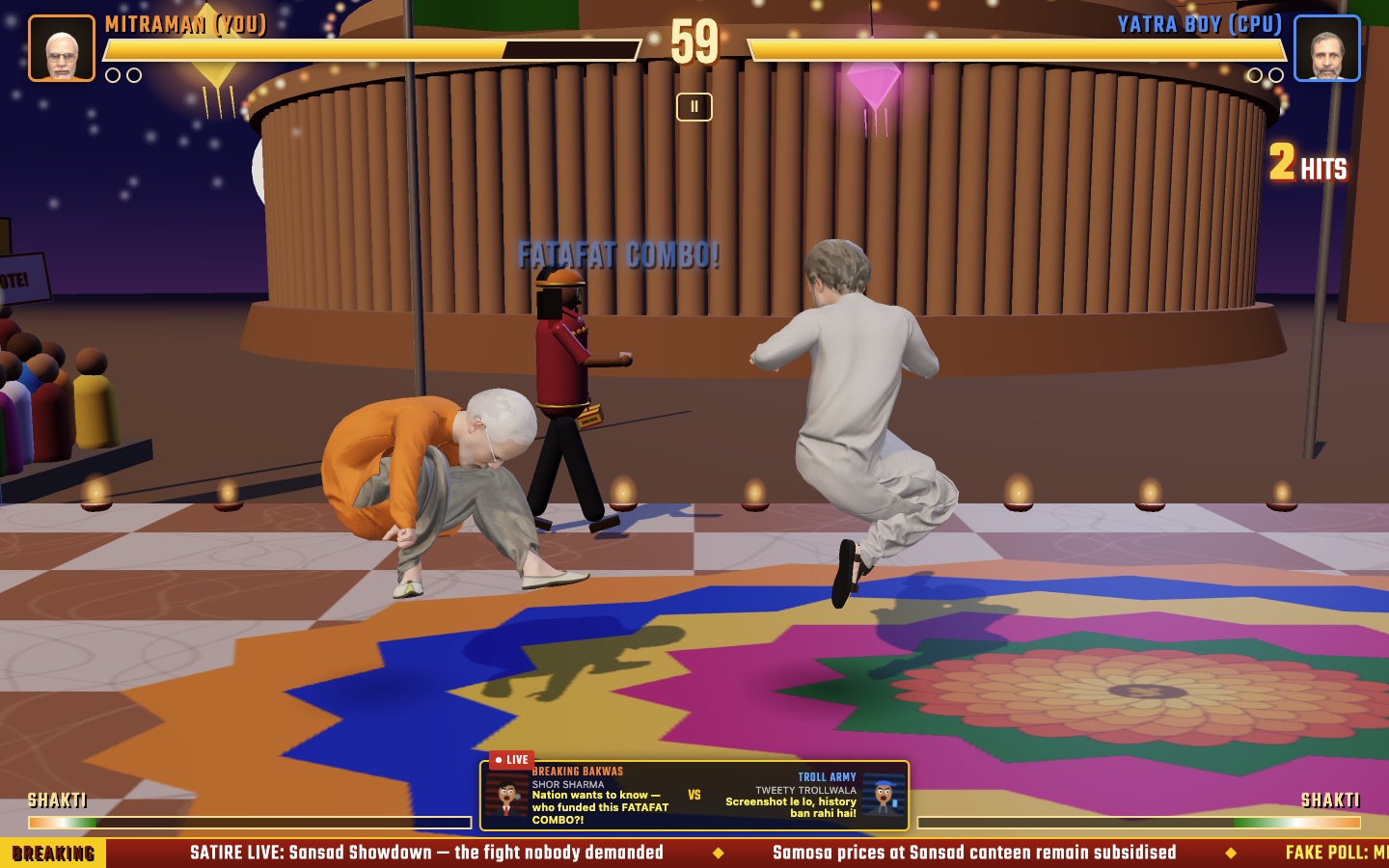
Wait for any character loading indicator to finish, then start. We entered an Easy CPU match as Mitraman against Yatra Boy in Sansad. The clock began at 60 and counted down during active combat.
Read the fight before adding combos
The immediate goal is to win the round against the opposing fighter. Watch the two health bars rather than the satirical ticker. The creator's portfolio describes best-of-three play. We did not finish a full match, so we do not give a tested account of timeout or draw rules.
Movement and spacing
Use A / D or left / right to move, W / up to jump and S / down to crouch. First learn where your fighter is relative to the opponent; the direction away from them is your back direction.
Defense before long strings
The official legend says to hold back to block. There is no separate block key in that legend. Start with a single J punch or K kick, then return to defense. This is a suggested learning sequence, not a tested winning strategy.
Pause when you need the key list
Esc opens the Chai Break menu. In our session, Resume returned to combat and Quit to Select was available in the pause menu. The SHAKTI bars are visible below the fight; the official touch legend says a full meter is needed for a super.
Phones: what is actually confirmed
The official page contains a rotate-your-phone prompt and a touch-control legend with movement, punch, kick, grab and super. Those are interface facts, not a physical-device test. This first guide uses desktop keyboard controls; phone performance and touch responsiveness remain untested.
Where friend rooms begin
From character select, choose Play With a Friend. The next screen shows Host a Room and a field for a friend's room code, with a Join button. We opened that menu and checked those options. We did not host or join a room, connect a second device, or test latency and reconnection. Follow the current in-game prompts for the next step.
If you get stuck
The FIGHT! button still says DOWNLOADING…
Changing characters showed a loading indicator in our session. Wait for the selected character to finish loading before trying to start. A slower connection may take longer; this guide does not promise a fixed loading time.
My keys are not reaching the game
Return focus to the game page and make sure you are not typing into a browser search box or the room-code field. The selection-screen arrows choose characters; during a fight they move your fighter.
I pressed the super key and nothing happened
The official legend assigns L / Space to super, and its touch instructions specify a full SHAKTI meter. Check the meter first. We have not tested every character's super activation or timing.
I want to beat MBAPU
The current screen labels MBAPU as Boss. We have not completed that challenge or verified a winning method, so a boss walkthrough is not part of this release.
Sources & what we checked
Official UI checked:
- Official game — title, roster, controls and selection menus
- ShivamBuilds portfolio — creator credit and game format
- @shivmbuilds — account linked by the official game
Hands-on scope: desktop character and stage selection, Easy CPU match start, active combat, pause and resume. Individual combo timing, every special, match completion, physical phones and two-device multiplayer were not verified.
The live game's own legend takes priority if a later update changes a key or label.